Look ma! No HTTP_PROXY!
Proxies are inevitable when it comes to filtering egress traffic and credential injection, but can we make the configuration go away?
Proxies are inevitable when it comes to filtering egress traffic and credential injection, but can we make the configuration go away?
I first learned about Squid many years ago as a lad at school. It turned out that the IT administrators had set up Squid to block various sites deemed unproductive, or out of bounds for education.
The thing was, I found a bypass, and I shared it with my fellow pupils, and we had full - unfettered Internet access, just like an AI agent gets when it's running on your host computer. Over time, the teachers found out - and eventually called me with some others into the assembly to reprimand us.
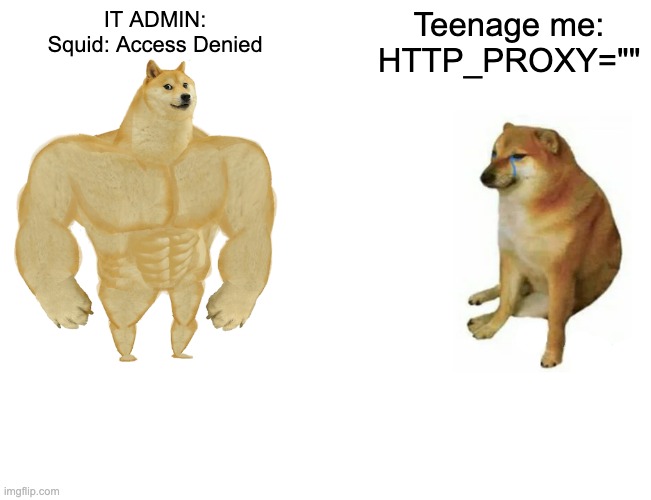
From that day on, we couldn't bypass the proxy by going into Netscape Navigator and blanking out the HTTP_PROXY field. And I think they must have learned about transparent proxying on that day.
Two ways to HTTP_PROXY
We have two options to work with a proxy within a VM. The first is to use environment variables - which is fine for proxy-aware programs, and automation. The second is to implement a transparent proxy.
Environment variables and proxy-aware programs
For Slicer, we recommend blocking all network access for restricted VMs. Then, adding back in the proxy's IP with the two ports: 3128 and 3129. With that approach, you can't have some teenage Alex Ellis come up and bypass your filtering policies.
Your applications then need to be proxy aware - and most are these days, but there are exceptions.
By proxy aware, this means reading and respecting the HTTP_PROXY, HTTPS_PROXY, and NO_PROXY environment variables. Any plaintext endpoint i.e. http:// uses HTTP_PROXY and https:// uses HTTPS_PROXY. Finally, NO_PROXY is key for local IP addresses, things like a Docker container that's not reachable from the proxy itself.
Things like curl will generally just pick it up.
export HTTP_PROXY=http://192.168.122.1:3128
curl -i http://wikipedia.org
Curl also has a specific --proxy flag (-x for short):
curl -x http://192.168.122.1:3128 -i http://wikipedia.orgAnd things can get more complicated than this. For instance, when using HTTPS_PROXY if the proxy itself uses a cert the VM does not trust, then you need to use --proxy-insecure (or better --cacert or --capath to point at the proper bundle).
Using a custom CA is not hard, but it does involve management, rotation, distribution - all of which present their own challenges. A certificate or bundle is generally added to /etc/ssl/certs and the user runs sudo update-ca-certificates, and the system will more or less trust it. Sometimes, Node.js can be picky, so you may want to add the NODE_EXTRA_CA_CERTS environment variable.
Fortunately, Slicer's CA infrastructure sets up, maintains and injects CA bundles into VMs (when enabled) meaning, the proxy's cert, and any leafs it mints for different sites are deemed valid.
Where things get slippery is with Docker and Kubernetes. With containers, you not only have a daemon that may need a proxy setting up to be able to pull from registries, but you have containerised workloads with their own root filesystems and trust bundles. On Kubernetes, you can inject a CA as a ConfigMount or Secret, and point your application at it. We do this for OpenFaaS and it's fine. But during builds things get even harder - you run a step like RUN apt install nginx and now the layer you're working within also needs to trust your CA.
There is no clear or clean solution for this.
Waving goodbye to HTTP_PROXY
Environment variables are great for bots, functions, relatively static and repetitive tasks. But when a human or agent is involved, we're more likely to trip over them and find edge-cases.
So how can we wave goodbye to the HTTP_PROXY and HTTPS_PROXY environment variables?
We go back to my alma mater, and redirect all outbound traffic to the proxy at the system level. Now they likely did this via routing tables, blocking all direct access as belt and braces.
I recently learned of a very well known CI provider claiming to implement full traffic blocking for GitHub Actions. The best part? They set up the rules in the guest - and we all know CI is useless without root access to install packages and perform privileged operations.
Why does this vendor make me smile? Well, it's just like that teenage me removing the proxy setting from the browser.
All any script, malware, or vengeful employee needs to do is to run sudo iptables -F and your "secure CI runner", now has no filtering whatsoever.
Really, these rules have to be enforced on the host side, so the workload cannot simply say "nope." So it may surprise you to see us doing something similar with Slicer, but with a twist.
Because we recommend users explicitly drop all traffic, there is nothing you can do but use the proxy to egress. Whether via an environment variable, iptables rules that redirect traffic to it.
In userdata, you can just add:
/usr/local/bin/slicer-agent proxy install \
    192.168.222.1 --token ${PROXY_TOKEN}
That's it, and all traffic to port 80, 443, and DNS will be tunneled through the proxy.
More completely, let's install Nginx with and without the transparent proxy helper:
cat > userdata.sh <<EOF
#!/bin/bash
set -eux

/usr/local/bin/slicer-agent proxy install \
    192.168.222.1 --token ${PROXY_TOKEN}

DEBIAN_FRONTEND=noninteractive apt-get update -y
DEBIAN_FRONTEND=noninteractive apt-get install -y nginx
EOF
Versus fully manual configuration:
cat > userdata.sh <<EOF
#!/bin/bash
set -eux

export http_proxy="http://proxy:${PROXY_TOKEN}@192.168.222.1:3128"
export https_proxy="https://proxy:${PROXY_TOKEN}@192.168.222.1:3129"
export no_proxy="localhost,127.0.0.1"

cat > /etc/apt/apt.conf.d/00proxy <<APT
Acquire::http::Proxy  "\${http_proxy}";
Acquire::https::Proxy "\${https_proxy}";
APT

DEBIAN_FRONTEND=noninteractive apt-get update -y
DEBIAN_FRONTEND=noninteractive apt-get install -y nginx
EOF
They both look similar, but the second example is something you have to learn and memorise. And this is just one of many programs that need specific configuration. That's a trip hazard for agents and humans alike.
In the manual approach with environment variables, we discussed how Docker was tricky to configure. Slicer's transparent proxy helper configures /etc/docker/daemon.json so you can pull images from registries right away - so long as you have granted the client access to them first.
As a bonus, Slicer allows for specific rules to be added in "TCP passthrough" mode - then you can literally SSH to a remote machine, open a database connection, or something else that is messy and has its own protocol. Just be aware of what you're opening and why.
Let's say "review-1" function needs to access a bastion host for VPC access over SSH:
sudo slicer proxy allow review-1 \
    --host vpc-bastion.internal.example.com \
    --port 22 \
    --passthrough \
    --url ./slicer.sock
About DNS
DNS should always be blocked or heavily gated in restricted environments, because tools like Iodine and dnscat2 can be used to bypass proxies and exfiltrate data and secrets. It's often the one that gets left behind or forgotten.
So we wrote a special helper that runs as a DNS server in the guest. If you disable it, you have no DNS, if you use it, you're limited to specific DNS servers predefined on the host like Google or Cloudflare.
This is a key component of transparent proxying, so that the VM itself can look up an address to initiate a HTTP/HTTPS connection.
With environment variables, you are delegating the DNS lookup to the proxy itself, with our transparent proxy helper, the guest thinks it has direct Internet access (which is a better user experience all-around). Things like dig, nslookup, and direct connections "just work".
See it in action
- Set up "slicer proxy" for Mac or Linux.
- Create a client and capture its token used to authenticate to the proxy
- Grant that client access to one or more domains, paths, methods, etc
- Optionally, create a credential like a GitHub token and bind it to the client
Then, it's over to you. Run the helper command in userdata (runs as root already), or later on via slicer vm exec with sudo or --uid 0 to elevate permissions.
Assuming Slicer + Proxy are already configured and running.
Create a client:
PROXY_TOKEN=$(slicer proxy client create web-1)

slicer proxy allow web-1 --host cloudflare-dns.com \
    --method POST --path /dns-query
slicer proxy allow web-1 --host archive.ubuntu.com  \
    --method GET --path '/ubuntu/*'
slicer proxy allow web-1 --host security.ubuntu.com \
    --method GET --path '/ubuntu/*'
Define userdata in a file:
cat > userdata.sh <<EOF
#!/bin/bash
set -eux

/usr/local/bin/slicer-agent proxy install \
    192.168.222.1 --token ${PROXY_TOKEN}

DEBIAN_FRONTEND=noninteractive apt-get update -y
DEBIAN_FRONTEND=noninteractive apt-get install -y nginx
EOF
Launch VM, wait until userdata is done, then curl your nginx instance:
VM=$(slicer vm launch sbox --userdata-file userdata.sh --wait-userdata --json | jq -r '.hostname')

slicer vm exec "$VM" -- systemctl is-active nginx
slicer vm exec "$VM" -- curl -sS http://localhost | head -3
You could also port-forward nginx to a local port to poke at:
slicer vm forward "$VM" -L 8080:127.0.0.1:80
curl http://127.0.0.1:8080
Wrapping up
We went down memory lane - to my first experience of a HTTP proxy, how it was so trivial to bypass it and how to make it stick, so even clever DNS tunnels can't be used to find a way out.
Proxies are a compromise. They're one that says: we need to audit everything, we need to block certain sites, and in the context of agents they say: "we cannot trust this workload with any credentials" - so the proxy holds them on the workload's behalf. It's surprising to see decades old technology becoming trendy again.
Fortunately, Slicer's transparent proxy mode can ease the friction: programs don't even need to know there's a proxy, DNS works, the CA is already trusted by the system, and we do as much as reasonably possible to make Docker work too.
You can try out the Slicer Proxy in either mode by following the tutorials in the docs on macOS, WSL2, or Linux.